
Stop losing qualified PSW applicants to manual processes. Here's how recruitment software turns your job posts into a qualified candidate pipeline—automatically.
I have run recruitment for a live PSW agency in St. Thomas, Ontario for three years. I have posted job ads on every platform. I have sorted through hundreds of resumes. I have called applicants only to find their credentials expired. I have lost good candidates because we could not move fast enough.
Recruitment is not just about posting a job and hoping for applications. It is a pipeline. Every step—from the moment someone clicks "Apply" to the moment they start their first shift—must be intentional and efficient.
If your recruitment process is manual, you are losing candidates to your competitors. In 2026, the PSW shortage is real. Your system for converting applicants into employees directly impacts your agency's ability to grow. Recruitment software is not optional. It is how you build the team you need to serve your clients.
The Problem Explained: Why Manual Recruitment Fails
Before we had a connected system at Essential Staff, our recruitment was chaos. We would post a job on Indeed. The applications would flood into our email inbox. Someone would manually forward each resume to the hiring manager. The manager would print it, highlight key sections, and file it in a physical folder.
Then came the credential check. The hiring manager would call the applicant, ask about their PSW Certificate, Police Vulnerable Sector Check, CPR & First Aid, TB Test, and References. They would write notes on the printed resume. If the applicant seemed promising, they would schedule an interview. The interview notes would go on a separate piece of paper.
We had over 600 applicants in our database eventually, but at the start, we could barely manage 50. Applicants would call asking about their status, and we would have no idea. We could not find their file. We would forget to follow up. Good candidates would get lost in the pile.
Here is the specific detail only an operator would know: a PSW applicant's credentials are time-sensitive. A CPR certification expires in one year. A Police Vulnerable Sector Check is often valid for only six months. If you do not verify these credentials quickly, you risk the applicant's documents expiring before you even schedule the interview. That is lost time and lost candidates.
Why This Matters Right Now in 2026
The PSW labour market in Ontario is tight. With the permanent $3/hour wage enhancement and the October 1 minimum wage increase to $17.95/hour, more people are considering PSW work. But competition for qualified staff is fierce.
HSCPOA registration is also changing the landscape. As of 2026, employers are increasingly making registration a condition of employment. Your recruitment system must verify HSCPOA registration status. If you cannot do this quickly, your competitors will hire the candidate first.
The $10,000 PSW Return of Service incentive is attracting new PSWs to the profession through the HealthForceOntario program. This is a new cohort of applicants entering the market. If your recruitment process is a black hole, you will miss this opportunity.
Manual recruitment also creates a compliance risk. If you hire a PSW without verifying their credentials thoroughly, you risk sending a non-compliant worker to a client. That can mean lost revenue and damaged reputation. The stakes are too high to rely on spreadsheets and paper files.
The Solution: A Connected Recruitment Pipeline
The solution is not a better spreadsheet. It is a connected recruitment system that is part of a fully integrated operating system. At Essential Staff, we use the system we implement—built on Odoo 19 Enterprise—to manage every step of the recruitment pipeline.
Here is how it works in a live agency. A job post goes live on our website and other job boards. When a PSW applicant clicks "Apply," their resume is automatically uploaded into our recruitment database. The system does not just file it away. It creates a lead in the CRM, capturing the applicant's name, contact information, and attached resume.
The recruiter reviews the application within the system. They can see all credentials, schedule interviews, and add notes—all in one place. The applicant's status moves through stages: "New Applicant," "Phone Screen," "Interview Scheduled," "Offer Extended," "Credentials Verified," and "Hired."
If an applicant's credential is expired, the system automatically moves them to an "Expired Documents" stage. This prevents them from being scheduled accidentally. The recruiter can re-engage them when they renew.
The system also integrates with our digital documents module. When an applicant is hired, their credentials are stored digitally. The system tracks expiry dates and sends automated alerts at 30, 14, and 7 days before renewal. This closes the loop from recruitment through ongoing compliance.
Here is what the transition looks like in practice.
Process | Manual Recruitment | Connected Recruitment System |
Resume Collection | Emails forwarded manually, lost in inboxes. | Auto-uploaded to recruitment database. |
Applicant Tracking | Paper files and spreadsheets. | Digital lead with full contact and document history. |
Credential Verification | Recruiter manually checks each credential. | System tracks status; auto-moves expired applicants. |
Interview Scheduling | Back-and-forth emails and phone calls. | Integrated calendar and appointment scheduling. |
Hiring and Onboarding | Paper forms and manual data entry. | Digital documents and e-signatures. |
💡 Insider Tip: Do not wait to verify credentials until after the interview. Verify them as soon as the applicant applies. This will save you hours of wasted interview time with candidates who cannot be compliant. Our system auto-checks expiry dates on upload, so we only interview candidates who are fully compliant.
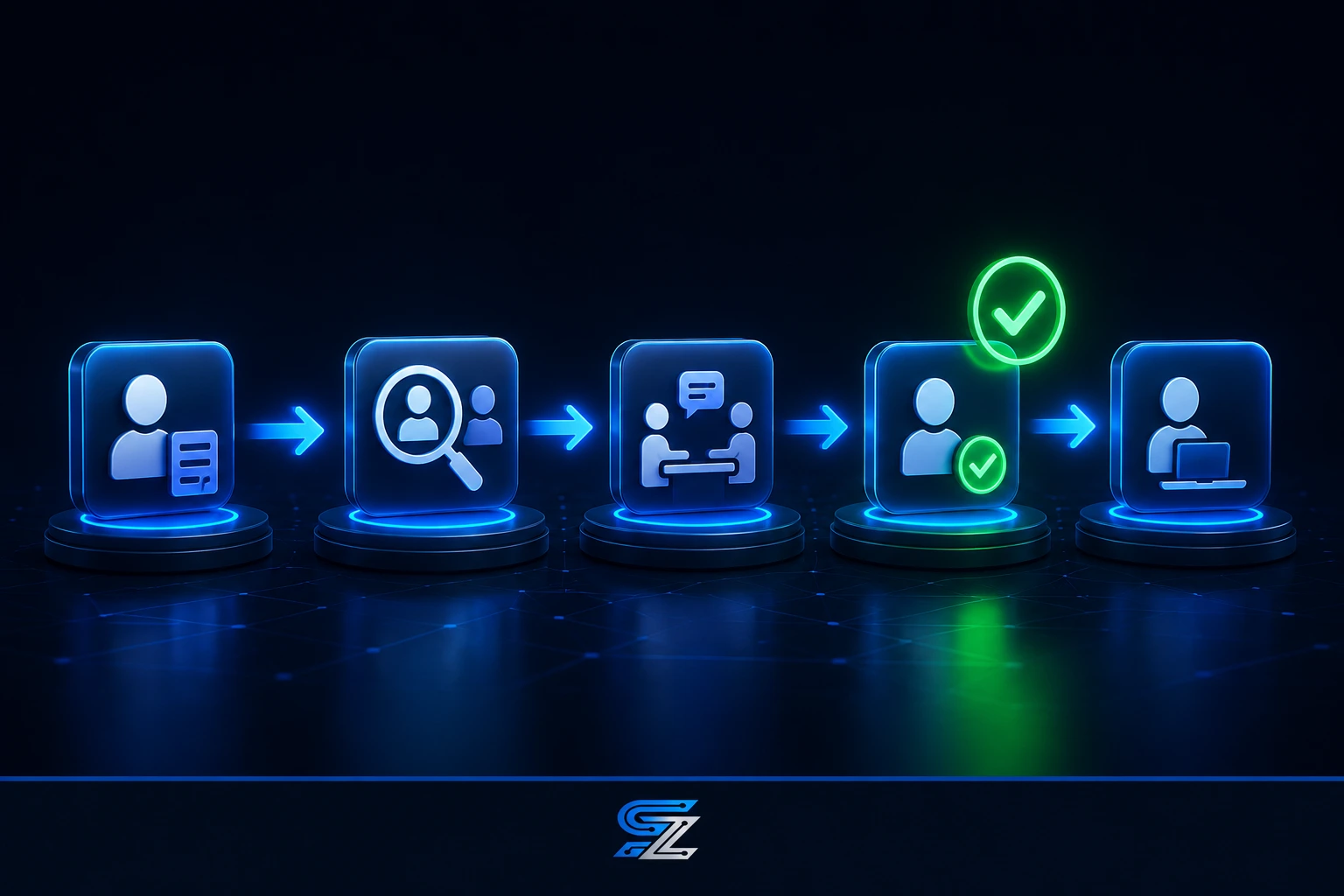
Pipeline/Process Breakdown: How Recruitment Should Flow
The recruitment pipeline is a series of stages. A connected system ensures candidates move through these stages efficiently.
1. Job Post and Application Intake
The pipeline starts with a job post on your website or job board. When a PSW clicks "Apply," their resume is auto-uploaded into your recruitment database. The system creates a lead in the CRM, capturing all contact information and documents. This is the foundation of your applicant tracking.
2. Screening and Qualification
The recruiter reviews the applicant's resume and credentials within the system. They use a checklist to verify each credential: PSW Certificate, Police Vulnerable Sector Check, CPR & First Aid, TB Test, and References. The system flags any expired documents. The recruiter moves qualified applicants to the "Phone Screen" stage and schedules a call using the integrated calendar.
3. Interview and Decision
After the phone screen, the recruiter schedules a formal interview using the system's appointment module. Interview notes are recorded directly in the applicant's record. The recruiter makes a decision: "Hire," "Hold in Pool," or "Reject." If the applicant is hired, they move to the onboarding stage. If held, they remain in the pool for future openings.
4. Onboarding and Credential Verification
The hiring process is where manual systems fail. With a connected system, the new hire's credentials are entered and their expiry dates tracked. The system sends automated alerts at 30, 14, and 7 days before expiry. Digital documents and e-signatures are used for employment agreements and other forms. The applicant is now an employee, ready to be scheduled and paid.
Real Results From a Live Ontario Agency
Essential Staff is a live PSW agency in St. Thomas, Ontario. The recruitment system I am describing is how we operate every day. The results are proof of what a connected recruitment pipeline can achieve.
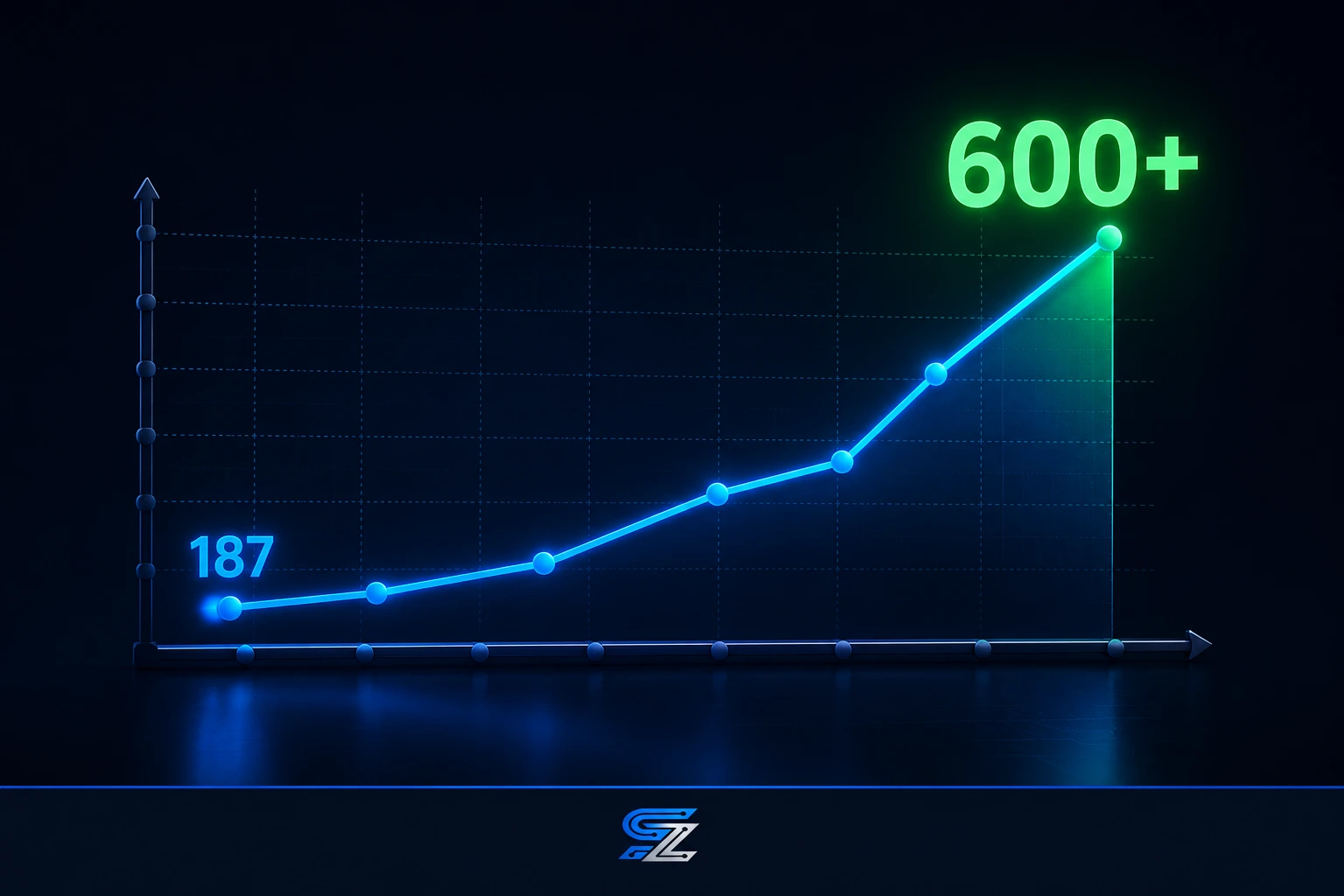
We started with 187 applicants in our database. Today, we have over 600. That growth is not accidental. It is the result of a system that can handle volume without falling apart. We never lose a qualified applicant because we cannot find their file.
Our recruitment pipeline is a key part of our two-pipeline system. The staff pipeline—from website job post to payroll—is fully connected. We post a job, applicants apply, the system tracks them through screening and hiring, and they become employees who are scheduled and paid. It is one seamless flow.
The compliance benefits are tangible. Our system automatically moves applicants with expired credentials to an "Expired Documents" stage. That means we only schedule PSWs who are fully compliant. In three years, we have never had a CRA penalty, and we have never lost a client because of a compliance failure.
Our payroll efficiency is also a direct result of clean recruitment data. When a PSW is hired, their information flows into the payroll system. We process 26 biweekly payroll runs per year. What used to take over three hours now takes just 18 minutes. The data is clean and compliant because the recruitment process ensures it.
Step-by-Step — How to Get Started
You can start improving your recruitment today, even before you implement a full connected system. These steps will build the foundation for a more efficient pipeline.
Audit Your Current Recruitment Process: Map every step from job post to hire. Note where documents are stored, how credentials are verified, and how decisions are tracked. Identify the bottlenecks. Where do you lose candidates? This audit will show you exactly where to improve.
Centralize Your Applicant Data: Move all applicant files into a single digital location. A spreadsheet can work as a starting point. The goal is to have one record per applicant that contains all contact information, documents, and notes. This is the foundation of applicant tracking.
Standardize Your Screening Checklist: Create a written checklist for credential verification. Include PSW Certificate, Police Vulnerable Sector Check, CPR & First Aid, TB Test, and References. Ensure every recruiter follows the same steps. This consistency is critical for compliance.
Add an "Expired Documents" Stage: In your spreadsheet or simple CRM, create a stage for applicants with expired credentials. Move applicants there automatically when a credential expires. This will prevent you from scheduling or hiring them accidentally.
Schedule a Weekly Recruitment Review: Block 30 minutes every Friday to review your applicant pipeline. Move qualified candidates to the next stage. Follow up with pending candidates. This habit will ensure your pipeline does not stagnate and you never lose a good applicant.
Common Mistakes to Avoid
Recruitment is full of pitfalls. Avoid these common mistakes to build a more efficient pipeline.
Waiting to Verify Credentials Until After the Interview
This is the biggest mistake PSW agencies make. You interview a great candidate. You love them. You extend an offer. Then you discover their PSW Certificate expired six months ago. You have wasted hours. Verify credentials as soon as the application arrives. Only interview candidates who can be compliant.
Treating Recruitment as an HR Problem, Not a Revenue Problem
Recruitment is not a back-office task. It is how you build the team that generates revenue. If your recruitment pipeline is slow, you lose billable hours. You lose client contracts. Your agency's growth depends on your ability to recruit efficiently.
Not Automating Credential Alerts
Manual credential tracking is unreliable. You will miss expirations. You will lose applicants. A connected system sends automated alerts at 30, 14, and 7 days before expiry. This is the only reliable way to manage compliance.
Using Multiple Systems That Don't Talk to Each Other
If your applicant tracking is in one system, your scheduling in another, and your payroll in a third, you are creating data silos. Data must be re-entered, which creates errors. A connected system is a single source of truth.
Ignoring HSCPOA Registration
HSCPOA registration is becoming a de facto standard. You must verify registration status before hiring. If you ignore this, you risk hiring non-compliant PSWs. Your clients can check the Public Register. They will know if you are cutting corners.
Build a Recruitment Pipeline That Works
Recruitment is the foundation of your agency. If you cannot attract, screen, and hire qualified PSWs, you cannot grow. A connected recruitment system transforms this from a manual headache into a streamlined pipeline.
The system we implement at SYNERZ connects your job posts, applicant database, credential tracking, and hiring process into one seamless flow. It protects your revenue by ensuring you only hire and schedule compliant PSWs.
Book a free 20-minute recruitment review. We will review your current process and give you a clear picture of where your agency stands. No pitch. No obligation. Just clarity.
📧 info@synerz.ca | 📞 +1 647 493 8110 | 🌐 www.synerz.ca
Frequently Asked Questions
What is PSW recruitment software?
PSW recruitment software automates the process of attracting, screening, and hiring PSW applicants. It centralizes applicant data, tracks credential status, and manages the hiring pipeline. This is a critical tool for agencies competing in a tight labour market.
Why is recruitment software important for a PSW agency?
A manual recruitment process is slow and error-prone. You will lose qualified applicants to competitors who can move faster. Recruitment software also ensures you verify credentials before hiring, which protects your agency from compliance risks.
What credentials should I verify during recruitment?
You must verify the PSW Certificate, Police Vulnerable Sector Check, CPR & First Aid, TB Test, and References. Additionally, you should verify HSCPOA registration status. These are the core credentials required for private PSW contracts.
How do I track applicants with expired credentials?
A connected recruitment system automatically moves applicants with expired credentials to an "Expired Documents" stage. This prevents them from being scheduled or hired accidentally. The system also sends alerts to re-engage them when they renew.
How can a connected system improve my hiring speed?
A connected system centralizes all applicant data, automates credential verification, and integrates with scheduling and payroll. You can move applicants from "Apply" to "Hire" in days, not weeks. This speed gives you a competitive advantage.
Author: Munawar Abbas — Founder & CEO, SYNERZ