
Stop patching together spreadsheets, phone calls, and sticky notes. Here's how connected scheduling software helps Ontario PSW agencies fill every shift with compliant workers and pay them accurately—in one system.
Every PSW agency owner in Ontario knows the 6 AM scramble. A PSW calls in sick. You start phoning the casual pool. You check a spreadsheet to see who's available. You call them. They're not certified for that client. You call the next person. You finally find someone, but now you need to update the payroll spreadsheet so they get paid. And you need to make sure the client gets billed correctly.
That broken workflow is costing you money and burning out your coordinators.
The reality is that manual scheduling doesn't scale. When you have 20 PSWs, a spreadsheet works. When you have 50, it starts to crack. When you have 100, it breaks completely. And with the PSW shortage in Ontario, you need a system that helps you fill shifts fast, not one that slows you down.
The fix is a connected scheduling system that does more than just show who's working. It must track credentials, manage time-off requests, and feed approved hours directly into payroll. At Essential Staff in St. Thomas, Ontario, we built this inside our live agency. Here's how it works and why it's the single biggest operational win you can make in 2026.
The Problem: Why Manual PSW Scheduling Fails
Before we implemented a connected system at Essential Staff, our scheduling process was chaos. We had a spreadsheet with all our PSWs and their availability. The coordinator would print it every week and manually assign shifts. When someone called in sick, they'd start calling down a list of casuals, scribbling notes on the printout.
Then came the credential check. The coordinator had to cross-reference each PSW's certifications against the client's care plan. A client with a complex medical need required a PSW with specific training. If the coordinator didn't catch an expired CPR certification, that PSW could be scheduled for a client who needed it. That is a compliance risk I cannot afford.
The specific detail only an operator would know: A PSW's credential expiry dates rarely align. One PSW's Police Vulnerable Sector Check expires in May. Another's CPR expires in August. In a manual system, you rely on the coordinator's memory. And memory fails. We would schedule a PSW, they'd show up for the shift, and we'd realize their credential expired last week. That means sending them home and scrambling to find a replacement. It's embarrassing, costly, and entirely preventable.
And payroll? That was a whole separate nightmare. The coordinator would manually enter the approved shifts into a spreadsheet, then hand it to the payroll clerk. The clerk would manually enter the hours into the payroll system. That double-entry is where errors happen. We were spending over three hours every biweekly payroll cycle just on manual data entry related to shift data.
Why This Matters Right Now in 2026
The regulatory environment in Ontario is tightening, making a connected scheduling system non-negotiable.
First, HSCPOA registration is becoming the de facto standard for PSWs in Ontario. Employers are now facing de facto mandatory registration of their PSWs. You need a system that tracks who is registered and whose registration is about to expire. A manual spreadsheet can't send automated 30, 14, and 7-day alerts.
Second, the CRA is actively enforcing worker classification rules in the healthcare staffing sector this year. You need clean, auditable records of who worked which shift and when. A connected system that logs every shift, every approval, and every credential check gives you that audit trail.
Third, the labour market is tight. The PSW Tax Credit 2026 (5% of eligible earnings, up to $1,100 per year) is attracting more people to the profession, but competition for qualified staff is fierce. An inefficient scheduling system will drive your best PSWs to competitors who use more professional tools. Scheduling unpredictability is one of the most commonly cited reasons PSWs leave a position.
The trend is clear: Agencies that move scheduling, documentation, and invoicing into one connected system are the ones that survive and grow. Those that stick to spreadsheets will be left behind.
The Solution: One Connected System for Scheduling, Credentials & Payroll
The solution is not a better scheduling spreadsheet or a standalone scheduling app. It's a connected scheduling system that is part of a fully integrated operating system.
At Essential Staff, we use the system we implement—built on Odoo 19 Enterprise—to manage scheduling, credential tracking, and payroll in one connected flow.
Before:
Coordinator prints the weekly schedule spreadsheet.
PSW calls in sick.
Coordinator manually calls through a list of casuals.
Coordinator crosses out the sick PSW and writes in the replacement.
Coordinator manually enters the replacement's shift details into another spreadsheet for payroll.
Payroll clerk manually enters the shift data into the payroll system.
Credentials are checked manually, often after the fact.
After:
The schedule is published and accessible to all PSWs on their mobile devices.
A PSW submits a time-off request or calls in sick.
The system automatically notifies casual PSWs who are available, qualified, and compliant for that client.
A replacement is confirmed in minutes.
The shift data automatically flows into the timesheet and payroll system.
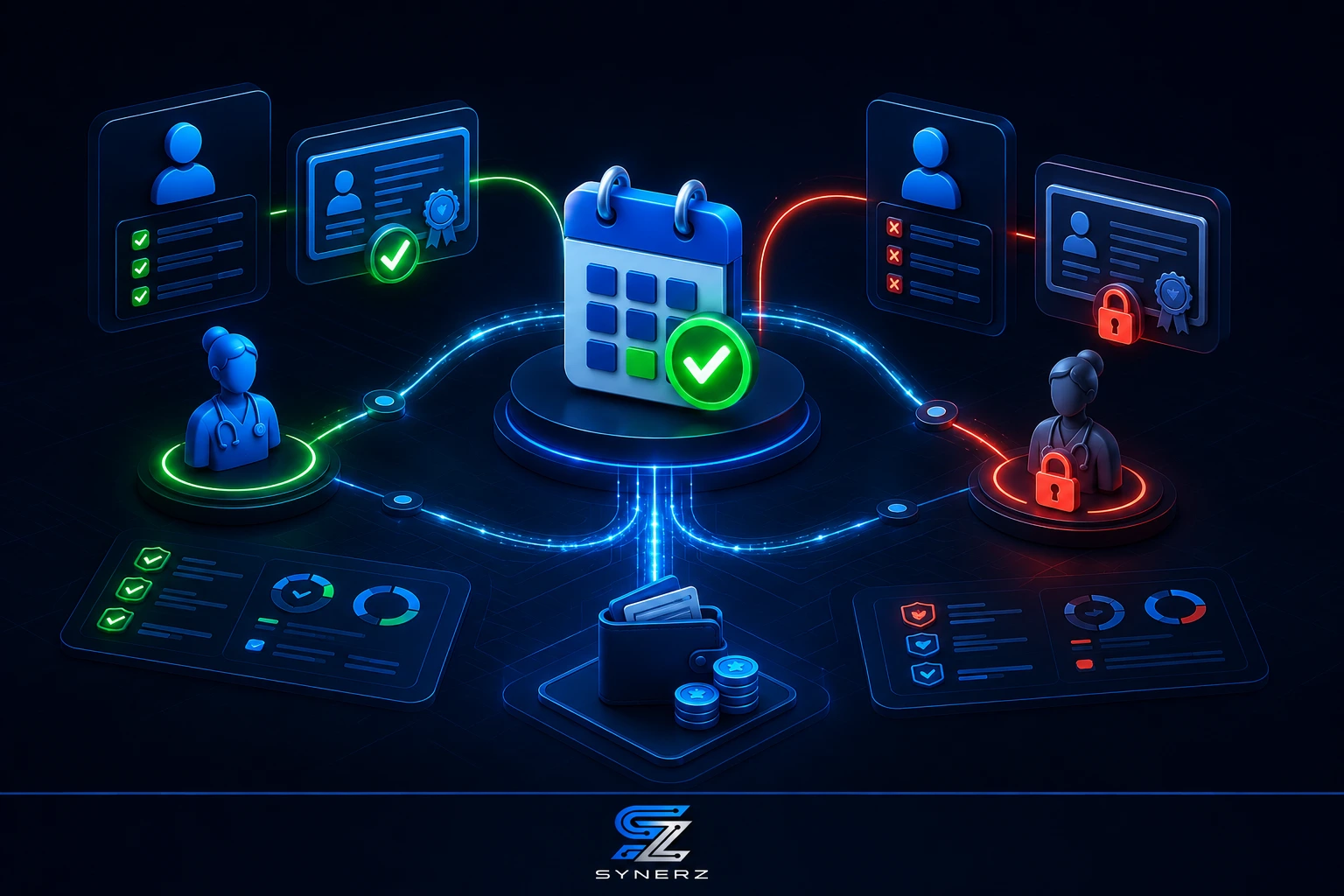
Credentials are checked in real-time—the system blocks non-compliant PSWs from being scheduled.
Payroll is processed with one click from approved timesheets.
This isn't a theory. This is how we operate every day at Essential Staff.
What a Connected System Changes Day to Day
A scheduling dashboard that shows confirmed, pending, and unconfirmed shifts across the full week lets coordinators identify gaps before the morning of. Credential-based scheduling restricts assignments automatically—a PSW without a valid CPR certification simply doesn't appear as available for a client who requires it.
And for payroll, the time flows directly into payroll. No re-entry. Approved timesheets calculate overtime, stat premiums, and shift differentials automatically. Every pay run is clean from the start, with no reconciliation step.
💡 Insider Tip
Publish your schedule at least two weeks in advance. PSWs value schedule predictability more than you think. A connected system lets you publish a stable schedule and handle last-minute changes without disrupting the entire plan. This alone will improve your retention.
How the Connected Scheduling Pipeline Works
Here is the step-by-step flow for our connected scheduling system. It's integrated directly into our Two-Pipeline System at Essential Staff.
Step 1: Demand Planning and Shift Creation
The process starts with client demand. When a client requests care hours, the system creates shifts based on the client's care plan and authorisation. The shift includes the date, time, location, duration, and any specific credential requirements (e.g., a PSW with a valid PSW Certificate and a clean Police Vulnerable Sector Check).
Step 2: Publish Schedule and Auto-Assign
The shift is published to the system. A roster is automatically proposed by the system, or the coordinator can manually assign shifts using a drag-and-drop interface. The system checks PSW availability, credential status, and any time-off requests before assigning.
Step 3: Time-Off Requests and Shift Swaps
PSWs can submit time-off requests, which are automatically considered in the scheduling algorithm. They can also request shift swaps with other qualified PSWs, subject to coordinator approval. This reduces the coordinators' administrative burden.
Step 4: Real-Time Credential-Based Scheduling
This is the most critical step. The system tracks credentials such as PSW Certificate, Police Vulnerable Sector Check, CPR & First Aid, TB Test, and References. It sends automated alerts at 30, 14, and 7 days before expiry. If a credential expires, the system automatically prevents that PSW from being scheduled for any shift that requires it. This is a key compliance feature for HSCPOA and the CRA.
Step 5: Mobile Access and Automated Shift Offer
PSWs access their schedules, shift details, and client information on a mobile app. When a shift is opened (e.g., due to a sick call), the system automatically offers it to qualified, available PSWs first. A PSW can accept, decline, or suggest a replacement.
Step 6: Attendance and Timesheet Integration
PSWs clock in and out on the mobile app. The attendance data feeds directly into the timesheet system. Timesheets are approved by the coordinator and automatically linked to the associated shifts and client records.
Step 7: Payroll Processing
This is where the magic happens. Approved timesheets feed directly into the payroll system with one click. The payroll engine calculates regular time, overtime, statutory holiday pay, and shift differentials automatically. It handles the 2026 CRA rates and Ontario ESA rules without manual calculation.
Real Results From a Live Ontario Agency
Essential Staff is a live PSW agency in St. Thomas, Ontario. The scheduling system I am describing is how we operate every day. The results are proof of what a connected system can achieve.
Our scheduling coordinator used to spend hours every week manually creating the schedule, handling sick calls, and updating spreadsheets. Now, the system handles shift offers and notifications. The coordinator's time is freed up for more strategic work.
Our credential compliance is bulletproof. The system automatically blocks non-compliant PSWs from being scheduled. In three years of operation, we have had zero CRA penalties and zero compliance failures. Our colour-coded compliance dashboard shows us at a glance who is green (valid), yellow (warning), or red (expired).
And the payroll impact is dramatic. We process 26 biweekly payroll runs per year. What used to take over three hours now takes just 18 minutes. The shift data flows directly into the payroll system—no re-entry, no reconciliation, no errors.
Our open shift alerts also benefit from the connected system. When a shift opens, we can instantly notify 600+ PSWs in our database via email or WhatsApp. We can fill a shift in under 3 minutes, not hours.

Step-by-Step — How to Get Started
You can start improving your scheduling today, even before you implement a full connected system. These steps will build the foundation for a more efficient pipeline.
Audit Your Current Scheduling Process. Map every step from shift creation to payroll. Note where documents are stored, how credentials are verified, and how decisions are tracked. Identify the bottlenecks. Where do you lose time? This audit will show you exactly where to improve.
Centralize Your PSW Data. Move all PSW files, including credentials, availability, and contact information, into a single digital location. A spreadsheet can work as a starting point, but you need a shared, real-time view of who's available and who's certified.
Standardize Your Scheduling Rules. Create a written checklist for shift assignments. Include credential verification, client-PSW matching rules, and time-off request procedures. Ensure every coordinator follows the same rules.
Publish Schedules Further in Advance. A weekly schedule is the minimum. A connected system can help you publish a 2-week schedule, which dramatically improves PSW satisfaction.
Start Automating Shift Offers. Use a communication platform (like WhatsApp or a simple notification system) to send automated shift offers. This reduces the coordinator's phone time and speeds up shift filling.
Common Mistakes to Avoid
Scheduling is full of pitfalls. Avoid these common mistakes to build a more efficient pipeline.
Treating Scheduling as an Isolated Task
Scheduling is not separate from payroll, billing, or compliance. If your scheduling system doesn't talk to your payroll system, you are creating manual re-entry work and errors. A connected system is a single source of truth.
Ignoring Credential-Based Scheduling
Scheduling a PSW without verifying their credentials first is a compliance risk. A connected system should automatically block non-compliant PSWs from being scheduled, ensuring you never accidentally send an unqualified or unregistered worker to a client.
Not Using a Mobile App for PSWs
PSWs are in the field. They need to see their schedules, submit time-off requests, and communicate with the office from their phones. A mobile-first scheduling system is essential.
Publishing Last-Minute Schedules
PSWs value schedule stability. A connected system allows you to publish a stable schedule and handle last-minute changes without disrupting the entire plan. This improves retention.
Re-Entering Data for Payroll
If your payroll clerk is manually entering shift data, you are wasting time and money. Schedule software should feed directly into the payroll system to eliminate double-entry and errors.
Build a Scheduling System That Works
Scheduling is the heartbeat of your agency. If you cannot fill shifts quickly, with compliant workers, and pay them accurately, you cannot grow. A connected scheduling system transforms this from a manual headache into a streamlined pipeline.
The system we implement at SYNERZ connects your scheduling, credential tracking, and payroll into one seamless flow. It protects your revenue by ensuring you never send a non-compliant PSW to a client and you never miss a billing opportunity.
Book a free 20-minute scheduling review. We will review your current process and give you a clear picture of where your agency stands. No pitch. No obligation. Just clarity.
📧 info@synerz.ca | 📞 +1 647 493 8110 | 🌐 www.synerz.ca
Frequently Asked Questions
What is PSW scheduling software?
PSW scheduling software is a tool that automates shift assignment, tracks worker availability, and integrates with payroll and billing. Unlike a spreadsheet, it offers real-time credential checks and compliance alerts. This is a key part of operating a modern PSW agency in Ontario.
How does scheduling software help with payroll?
Scheduling software connects approved shifts and timesheets to the payroll system. This eliminates manual data entry, improves accuracy, and ensures PSWs are paid correctly and on time. It also automates calculations for OT and stat pay.
What credentials should a scheduling system track?
The system should track PSW Certificate, Police Vulnerable Sector Check, CPR & First Aid, TB Test, and References. It should also support HSCPOA registration tracking. The system should send automated alerts at 30, 14, and 7 days before expiry and block scheduling when a credential expires.
Can PSWs see their schedules on their phones?
Yes, with a modern, connected system, PSWs can access their schedules, shift details, and client information on a mobile app. This is essential for PSWs who are in the field and need real-time information.
How can scheduling software improve PSW retention?
Scheduling unpredictability is a major reason PSWs leave. Software that publishes schedules in advance, sends instant shift notifications, and provides a clear record of logged hours addresses those frustrations and improves retention.
Is scheduling software just for large PSW agencies?
No. Even small agencies benefit from connecting scheduling, credentials, and payroll. The time savings and error reduction are valuable at any scale. As you grow, a connected system ensures you can handle the volume.
How does credential-based scheduling protect my agency?
Credential-based scheduling automatically prevents you from assigning an unqualified PSW to a client. This is key for compliance with HSCPOA and CRA regulations. It also protects your reputation and reduces risk.
Author: Munawar Abbas — Founder & CEO, SYNERZ