
Why manual spreadsheets are costing Canadian healthcare staffing agencies thousands in lost revenue and compliance risks—and the connected system solution already proven in a live Ontario agency.
For three years, I ran every system inside a live, licensed PSW agency in St. Thomas, Ontario. That meant payroll, billing, recruitment, scheduling—everything. For the first year, we did it the way most agencies do: spreadsheets, emails, and sheer grit.
We were burning hours every week re-keying data, chasing down missing signatures, and praying a PSW’s CPR certification didn’t expire without us noticing. The back office was a constant fire drill. It’s the same story I hear from agency owners across the province.
In 2026, the cost of this manual chaos is higher than ever. With new regulations, wage enhancements, and a massive applicant pool, you can’t afford to run your agency on a collection of disconnected spreadsheets. You need an ERP.
This isn’t just about software. It’s about a system that connects every part of your agency from recruitment through payroll. This is about understanding why Ontario staffing agencies are making the switch, and how to do it right.
The Problem Explained: The Inefficiency of Manual Processes
Before we had a connected system, our operations at Essential Staff were a mess. It’s the "before state" that many agency owners know intimately. We weren’t just managing people—we were managing an avalanche of paper.
Our recruitment was a starting point. We had over 600 PSW applicants in our database, but tracking them was a nightmare. We stored their resumes in one folder, their credential expiry dates in a spreadsheet, and their interview notes on sticky notes. It was impossible to get a clear picture of our talent pool without an hour of manual digging. Without a recruitment CRM, strong PSW applicants would get lost in the noise simply because we couldn't manage the volume effectively.
Then came scheduling. My team would spend hours every morning scrolling through spreadsheets and emails to fill open shifts. We had 600+ PSWs to contact, which meant a single open shift alert took forever to send manually. There was no way to see at a glance who had valid credentials and who was available. I knew we were haemorrhaging money because we were spending so much time on administration instead of growing the business and serving clients.
Payroll was the worst of it. Every two weeks, we’d spend three hours or more manually entering timesheets, calculating overtime, and reconciling hours against billing. One transposed number in a spreadsheet could mean hours of headache. A missed compliance flag could mean a massive CRA penalty down the road. It was stressful, time-consuming, and wholly inefficient. We were constantly one missed credential away from a compliance crisis.
Why This Matters Right Now in 2026
The operational environment for Ontario PSW and homecare agencies is changing fast, making the old spreadsheet methods a liability. The stakes are too high to rely on manual systems.
We are seeing a permanent $3/hour wage enhancement for PSWs and a minimum wage increase to $17.95/hour on October 1, 2026 . If you’re still using spreadsheets to manage payroll, you are one calculation error away from a major compliance issue. The complexity of stacking these increases and enhancements is real.
On top of wages, the push for PSW regulation through the Health and Supportive Care Providers Oversight Authority (HSCPOA) is creating a new landscape. As of 2026, employers must verify their PSWs are registered . The HSCPOA’s public register allows anyone to confirm a PSW's registration status, and an employer directory is being implemented to make this easier . This isn’t a "nice to have" anymore; it's a fundamental part of risk management.
Finally, the entire industry is facing a worker shortage. There is a huge demand for PSWs, with some agencies offering the $10,000 HealthForceOntario Return of Service incentive to attract talent . If your back-office processes are a black hole of manual data entry, you are losing the competitive edge needed to recruit, onboard, and retain these high-demand workers.
The Solution: A Connected ERP for Homecare Staffing
A true Staffing ERP is the whole car, not just the engine, as one article put it . If an Applicant Tracking System (ATS) is the engine sourcing candidates, the ERP is the vehicle that connects recruitment, contract compliance, credentialing, time and attendance, billing, and payroll into one seamless journey .
At Essential Staff, we moved from a "fragmented stack" of spreadsheets to a unified ERP. In a fragmented stack, a person spends half their day moving information between different systems by hand . In a unified ERP, the data is only entered once. This is the system we implement at SYNERZ. We can’t avoid mentioning that the system is built on Odoo 19 Enterprise, but the name is secondary to the function.
Think about what this means for an agency. When a candidate is hired from our 600+ applicant pool, their information flows directly into the system. Their credential expiry dates (PSW Certificate, Police Vulnerable Sector Check, CPR & First Aid, TB Test, References) are tracked automatically. The system sends automated alerts at 30, 14, and 7 days before expiry, so we never have a compliance surprise.
Scheduling becomes manageable. An open shift alert can be emailed to over 600 PSWs in under three minutes. With our colour-coded compliance dashboard—green for valid, yellow for warning, red for expired—we only call in PSWs who are fully compliant.
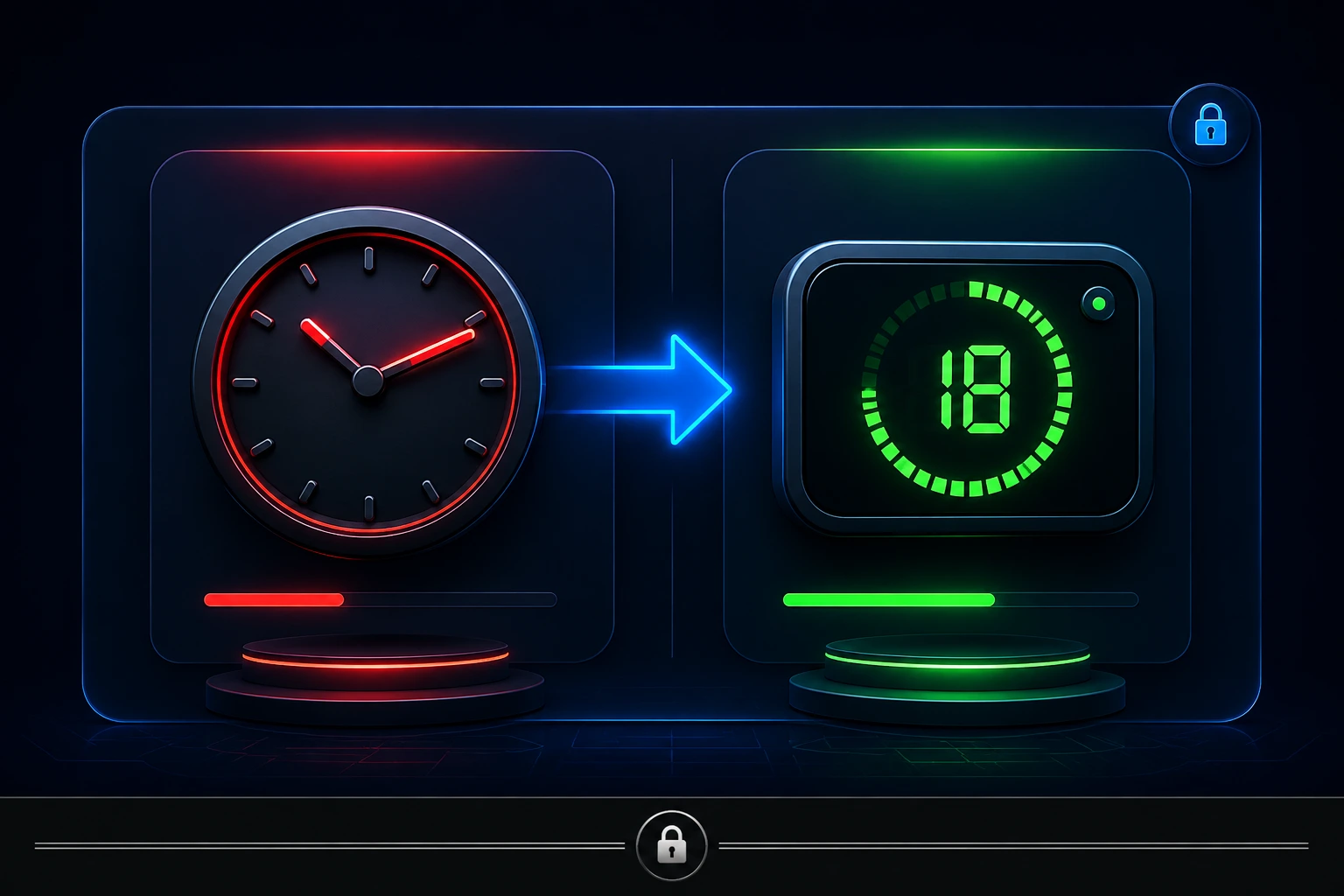
Payroll is where the magic happens. We process biweekly payroll for 26 runs a year. What used to take over three hours is now done in 18 minutes. Approved timesheets automatically generate payroll and client invoices with one click. We’ve seen zero CRA penalties over three years, and our payroll calculations accurately reflect all the new 2026 Canadian rates, including the CPP YMPE of $74,600 and the 4% CPP2 rate on earnings up to $85,000. The system does the math, we just review and approve.
Here’s a simple comparison of what this looks like in practice.
Process | Manual (Spreadsheets) | Connected ERP (Odoo 19) |
Recruitment | Emails, folders, sticky notes—hard to track. | Centralized database with stage tracking for 600+ applicants. |
Credentialing | Manually check expiry dates on a calendar. | Automated alerts at 30, 14, and 7 days before expiry. |
Open Shift Alerts | Hours of phone calls and emails. | 600+ PSWs notified in under 3 minutes. |
Payroll (26 runs/year) | 3+ hours of manual data entry and checking. | 18 minutes from approved timesheets to pay and invoice. |
Compliance | Risky and reactive, often caught after the fact. | Proactive, real-time colour-coded dashboard. |
💡 Insider Tip: Don't think of an ERP as just a "HR" or "Payroll" system. Think of it as a system that manages your staff and client pipelines. In our Two-Pipeline System, a website job post funnels PSWs into the Staff Pipeline, and a lead form or live chat funnels clients into the Client Pipeline. They converge at the connected operating core, giving you a single source of truth for your entire business.

Pipeline/Process Breakdown
The power of an ERP is in its processes. Here’s how the staff and client pipelines flow from beginning to end in a connected system.
1. Staff Pipeline: From Applicant to Employee
A new PSW applicant is the starting point. They submit a resume through the website, which is auto-created as a lead in the recruitment CRM. The system doesn't just file them away; it intelligently manages their journey. They move from "New Applicant" to "Phone Screen" to "Interview." If a candidate has an expired credential, they are automatically moved to an "Expired Documents" stage, preventing them from being scheduled. Once they pass all the checks, they are converted into an employee. They are now a part of the system, ready to be scheduled and paid.
2. Staff Pipeline: From Employee to Pay
With a live employee in the system, scheduling is next. Managers can view the integrated calendar, see availability, and plan shifts. The system can even help with optimal scheduling based on client needs and staff locations. Once the PSW works a shift, they or their supervisor can approve the timesheet in the system, often on an iPad app. That approved timesheet is gold. It automatically feeds into the payroll module, which calculates gross pay, deductions (CPP, EI, taxes), and generates the pay run. Simultaneously, this same data is used to generate the client invoice. One entry, multiple uses.
3. Client Pipeline: From Lead to Billing
The client pipeline starts similarly. A potential client fills out a web form or uses the live chat bot. A lead is automatically created in the CRM. The business development team qualifies the lead, converts it into a client, and assigns the appropriate PSW. A digital attendant care plan is created and signed via e-signature on an iPad. Once the agreement is signed, it's stored in the documents module.
4. Client Pipeline: From Service to Payment
Once a client is active, their journey mirrors the staff pipeline. The PSW’s approved timesheet means the system can automatically generate the client invoice. No more data re-entry. The invoice reflects the hours worked, approved by the client, and is ready to be sent. The client pays, and the accounts receivable and general ledger are automatically updated. From first lead to final payment, everything is connected.
Real Results From a Live Ontario Agency
Essential Staff is not a theoretical case study; it’s my live agency in St. Thomas, Ontario. We run the system I’m talking about. The numbers are real, and they’re the kind of proof you won’t find from a generic software sales pitch.
Before we implemented our connected ERP, our bi-weekly payroll was a three-hour slog for one person. We would manually go through spreadsheets of timesheets, check for errors, calculate the complex payroll amounts, and then manually enter everything into our accounting system. It was a breeding ground for errors and burnout. After connecting our system, the same payroll process takes just 18 minutes from start to finish.
This isn’t just a time saving; it’s a direct financial saving. It frees up my team to focus on finding great PSWs and building client relationships. Our 600+ PSW applicant pool is a direct result of that shift in focus. We can handle growth without scaling our administrative overhead linearly.
But time is only half the story. The big win is compliance. In three years, we have never had a CRA penalty. In 2026, the complexity is even higher with the permanent wage enhancement, the new federal tax bracket of 14%, and the Ontario first bracket of $53,359 at 5.05%. With the system enforcing the rules automatically, we don’t make mistakes. Our audit trail is clean and complete, from the PSW’s application to the final payment. This peace of mind alone is worth the switch.
Step-by-Step — How to Get Started
You can start improving your agency's operations today, even if you don't have a full ERP yet. Here are some steps any PSW or homecare agency owner can take right now to build a more efficient system.
Audit Your Biggest Bottleneck: Start by finding the single most time-consuming manual task in your agency. Is it chasing PSW credentials? Is it payroll data entry? Is it scheduling open shifts? Identify that one task that creates the most stress and pain. That is the first process you should automate or streamline.
Centralize Your Contact Database: If you’re still using a Rolodex or an Excel sheet for your PSW pool, stop. Move to a simple CRM or even a well-organized spreadsheet. The goal is to have every applicant's contact details, status, and key credentials in one searchable place. This is the foundation of an ERP.
Automate One Key Alert: Pick one compliance alert. For example, start manually adding 30-day expiry reminders for CPR or First Aid certifications into your calendar. When the alert pops up, send an email to the PSW. Get in the habit of proactively managing compliance. Once you’re comfortable with one, expand it to all credential types.
Standardise Your Client Intake: Create a checklist for client intake. This should include a step-by-step process for capturing client information, creating a care plan, and getting the necessary e-signatures. This structure will prepare you for the digital intake process that an ERP offers.
Map Your Two Pipelines: Draw a flowchart of your staff and client pipelines, just like the ones in this blog. See how they are connected and where the handoffs happen. This exercise will highlight the gaps in your process and show you exactly where a connected system can make the biggest impact.
Common Mistakes to Avoid
Switching to an ERP is a major strategic move, but it's not without its pitfalls. Here are common mistakes PSW agencies make when leaving their spreadsheets behind.
Thinking an ATS is Enough
An Applicant Tracking System is an excellent engine for finding and placing candidates. But it’s not the whole car. An ATS doesn’t do payroll; it doesn’t manage invoicing; it doesn't handle compliance across the agency. Many agencies realize too late that they’ve invested in a tool that only solves part of the problem. An ATS is an engine; an ERP is the whole car.
Underestimating the Compliance Shift
HSCPOA registration is a game-changer. With the implementation of an employer directory and the ability for clients to check the public register, hiring a non-registered PSW is a huge risk . A good ERP helps you manage these requirements from the point of recruitment, ensuring every PSW in your system is tracked against these new standards.
Failing to Align the Team
An ERP touches every part of the business. If your recruiters, schedulers, and payroll staff aren’t all on board with the new system, it will fail. You need to train your team on the "why" before you train them on the "how." Show them how it will make their lives easier and their jobs more efficient.
Ignoring the Financial Impact
The cost of payroll errors, missed billings, and CRA penalties is huge. One mistake in calculating the new 2026 payroll rates or failing to remit source deductions correctly can cost you thousands of dollars in fees and penalties. An ERP is not a cost; it's an investment to protect your margins and future.
Trying to Do It All at Once
Don't try to automate everything in one week. Start with the biggest pain point—like payroll or credentialing—and get it running perfectly. Then move to the next module. A phased approach reduces risk and helps your team adapt to the change more smoothly.
The New Standard for PSW Agencies
Spreadsheets were a great tool... in 2006. In 2026, the regulatory environment, the wage enhancements, the worker shortage, and the sheer cost of manual errors make them a liability. This is the year Ontario staffing agencies are making the switch to a connected ERP because they have to. The system we implement at SYNERZ is built for this exact moment.
Book a free 20-minute operations review. We’ll review your agency’s current systems—from recruitment to payroll—and give you a clear picture of where you stand. No pitch. No obligation. Just clarity.
📧 info@synerz.ca | 📞 +1 647 493 8110 | 🌐 www.synerz.ca
Frequently Asked Questions
Is an ERP different from an ATS?
Yes, an Applicant Tracking System (ATS) is a part of an ERP. The ATS is focused on recruitment, while an ERP is the whole connected system that manages recruitment, compliance, scheduling, payroll, billing, and client relationships. An ATS is the engine; an ERP is the whole car .
What are the benefits of home care agency ERP software?
An ERP connects all your data. This means you reduce manual data entry, minimise costly payroll and billing errors, and gain real-time visibility into your agency’s health. It also allows for automated compliance alerts and faster billing cycles, all of which improve your bottom line.
What is HSCPOA and what does it mean for PSW agencies?
HSCPOA (Health and Supportive Care Providers Oversight Authority) regulates PSWs in Ontario. Employers are encouraged to hire registered PSWs and can use the public register to confirm registration status . An ERP helps you manage this requirement by tracking the registration status of all your PSWs.
How do you price your ERP for a homecare agency?
SYNERZ offers a free setup with month-to-month plans starting at $650/month. We have no lock-in contracts, so you can scale up or down as your agency grows. All plans are month-to-month with a 30-day cancellation policy.
How long does it take to switch from spreadsheets to an ERP?
It can be done quickly with the right partner. We focus on getting the most critical parts of your business—like recruitment or payroll—up and running first. A phased approach ensures your team can adapt and you start seeing a return on investment almost immediately.
Author: Munawar Abbas — Founder & CEO, SYNERZ