
Here's how a connected payroll system helps Ontario PSW agencies process biweekly payroll in 18 minutes—not 3+ hours—while staying CRA-compliant.
Every PSW agency owner in Ontario dreads payroll day.
You gather timesheets from your coordinators. You check for missing signatures. You verify that the PSWs who worked actually have valid credentials. You manually calculate CPP, EI, and income tax deductions. Then you pray you did it right.
One mistake and the CRA is knocking. And in 2026, they are knocking hard.
I have run payroll for a live PSW agency in St. Thomas, Ontario for three years. I have processed 26 biweekly payroll runs per year. I have made every mistake you can make. And I have built a system that eliminates those mistakes entirely.
The 2026 payroll landscape is different. CPP2 is here. The EI rate has changed. The federal and Ontario tax brackets have been updated. If you are still using spreadsheets or a disconnected system, you are at risk of costly errors.
The fix is a connected payroll system that automates calculations, integrates with scheduling, and ensures you never miss a filing deadline. At Essential Staff, we built this inside our live agency. Here is how it works and why it is the single most important financial system you will implement in 2026.
The Problem: Why Manual Payroll Fails for PSW Agencies
Before we implemented a connected system at Essential Staff, our payroll process was a disaster waiting to happen.
Every two weeks, the coordinators would gather timesheets from PSWs. They would manually check that the shifts were approved, that the hours were correct, and that the PSW's credentials were still valid. Then they would hand the timesheets to the payroll clerk.
The payroll clerk would manually enter each PSW's hours, regular and overtime, into a spreadsheet. Then they would calculate CPP, EI, and income tax deductions using CRA tables. They would manually calculate statutory holiday pay and shift differentials. Then they would enter all of that into the accounting system to generate paycheques.
This process took over three hours every payroll cycle. And it was full of opportunities for errors.
The specific detail only an operator would know: A PSW's hours are rarely simple. They work split shifts. They work overtime. They work statutory holidays. They receive the PSW wage enhancement. In a manual system, tracking all of these variables for 50, 100, or 600 PSWs is nearly impossible.
We used to catch errors in the reconciliation. A PSW would complain their pay was wrong. We would dig through the paperwork and find a transposed number. We would issue a correction. This wasted time, frustrated our staff, and eroded trust.
And then there was the CRA inspection risk. If you misclassify a worker as an independent contractor when they should be an employee, the CRA can assess penalties and back taxes. If you miss a source deduction deadline, there are fines. In 2026, with the CRA actively enforcing worker classification in healthcare staffing, these risks are magnified.
Why This Matters Right Now in 2026
The payroll rules changed in 2026. If you are not up to date, you are at risk.
First, there is the new CPP2 (Canada Pension Plan Enhancement). For 2026, the Year's Maximum Pensionable Earnings (YMPE) is $74,600. The maximum contribution is $4,230.45. But CPP2 is a new thing: employees and employers must contribute an additional 4% on earnings from $74,600 up to a new maximum of $85,000. The maximum CPP2 contribution is $416. This is a new calculation that many payroll systems do not handle automatically.
Second, the Employment Insurance (EI) rate changed. For 2026, the employee EI rate is 1.63%. The maximum insurable earnings (MIE) is $68,900. The employer premium is 1.4 times the employee rate. These rates are different from previous years.
Third, the tax brackets have shifted. In Ontario, the first tax bracket is $53,359 at 5.05%. Federally, the first bracket is 14% for 2026. These brackets determine how much income tax you must deduct from each PSW's pay.
Fourth, the PSW Wage Enhancement is now permanent. The $3/hour wage enhancement for PSWs and DSWs is permanent for 2026-27. This enhances the amount you pay and the deductions you need to calculate.
Fifth, the PSW Tax Credit 2026 is in effect. Eligible PSWs can claim 5% of their earnings, up to $1,100 per year, from 2026 to 2030. Employers must certify the earnings via T4. Your payroll system needs to generate the correct T4 slips.
And of course, the CRA is actively enforcing worker classification rules in healthcare staffing. If you have been treating PSWs as independent contractors, you need to re-evaluate. The penalties for misclassification can be severe.
The bottom line: Payroll is more complex and more scrutinized than ever. A manual system cannot handle this level of complexity reliably.
The Solution: A Connected Payroll System for PSW Agencies
The solution is a connected payroll system that is part of a fully integrated operating system. At Essential Staff, we use the system we implement—built on Odoo 19 Enterprise—to manage payroll, scheduling, and compliance in one connected flow.
Here is how the connected system changes payroll:
Before (Manual Process) | After (Connected System) |
Coordinators manually gather and check timesheets. | Approved timesheets flow directly into payroll. |
Payroll clerk manually enters hours into a spreadsheet. | The system auto-calculates regular, OT, stat pay. |
Clerk manually calculates CPP, CPP2, EI, income tax. | Payroll engine auto-calculates all deductions. |
Clerk manually enters payroll into accounting system. | Payroll is posted to accounting with one click. |
Clerk manually reconciles errors. | Errors are eliminated by automation. |
HR manually tracks credential status for pay eligibility. | The system blocks payment for non-compliant PSWs. |
The before process takes hours and introduces errors. The after process takes 18 minutes and is accurate.
What the Connected System Does Differently
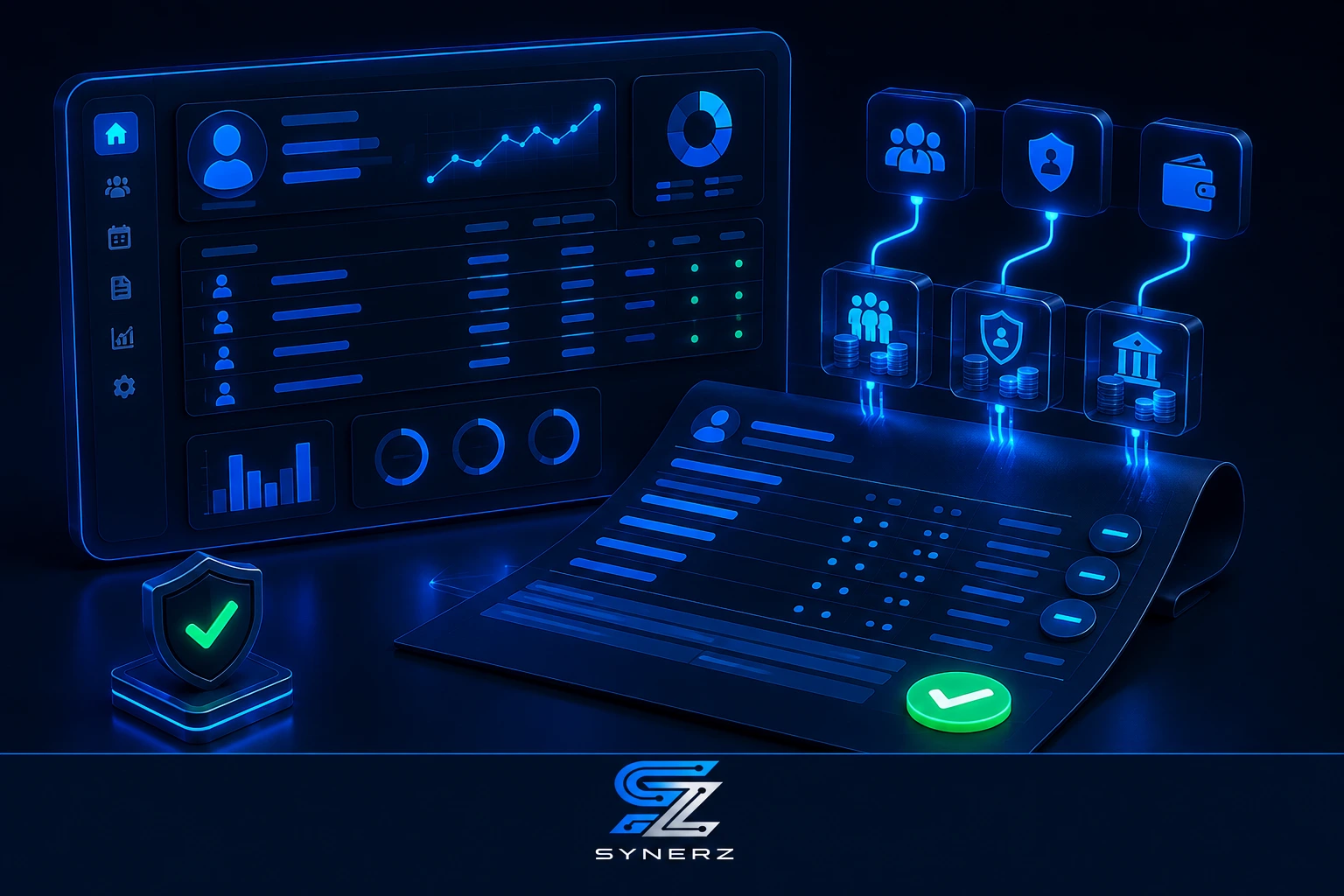
First, it integrates with scheduling. Approved timesheets from the scheduling module feed directly into payroll. No re-entry. The system knows which shifts were worked, who worked them, and whether they were regular, overtime, or stat holiday.
Second, it auto-calculates deductions. The system has the 2026 CPP YMPE and CPP2 rates built in. It calculates EI and income tax based on the current tax brackets. It applies the correct amounts to each paycheque.
Third, it handles the PSW Wage Enhancement. The $3/hour enhancement is factored into the regular rate. Overtime is calculated on the enhanced rate where applicable.
Fourth, it has a payroll approval workflow. You review the payroll run before finalizing. You can see a breakdown of hours, rates, and deductions. You approve it, and the system posts it to accounting.
Fifth, it supports direct deposit. PSWs receive their pay directly into their bank accounts. No more paper cheques.
Sixth, it generates T4s. At year-end, the system generates T4 slips for all employees, including the PSW Tax Credit certification.
Seventh, and critically, it is tied to the credential system. You should not pay a PSW who is not compliant. In our system, if a PSW's credential has expired and they are not scheduled, they cannot be paid.
This is not a theory. This is how we operate every day at Essential Staff.
💡 Insider Tip
Run a "pre-payroll" report before every payroll cycle. Review it for anomalies—missing credentials, time-off requests not captured, or shift approvals not closed. A connected system generates this in seconds. Catching these errors before payday is far easier than chasing corrections after.
Need help with Canadian payroll for your PSW agency? See how SYNERZ builds this for Canadian PSW agencies → www.synerz.ca
How the Connected Payroll Pipeline Works
Here is the step-by-step flow for our connected payroll system. It is integrated directly into our Two-Pipeline System at Essential Staff.
Step 1: Time Data Capture
The payroll pipeline starts with time data. PSWs clock in and out using the mobile app. The attendance data is captured in real time and linked to the approved shifts. This eliminates the need for manual timesheet gathering.
Step 2: Timesheet Approval
The coordinator reviews and approves the timesheets. They can see the hours worked, the client, and the PSW. The system flags any timesheets that do not match the schedule. Once approved, the timesheet is locked.
Step 3: Payroll Preparation
When the payroll cycle is triggered, the system pulls all approved timesheets for the period. It groups them by employee and calculates regular hours, overtime hours, and any statutory holiday pay.
Step 4: Deduction Calculation
The system applies the 2026 payroll rates. It calculates CPP, CPP2, EI, and income tax. It also handles any other deductions (like benefits or garnishments).
Step 5: Payroll Review and Approval
The payroll administrator reviews the payroll run in the system. They can see a summary of total wages, deductions, and net pay. They can drill down into any employee's details. Once reviewed, they approve the payroll run.
Step 6: Payment and Posting
The system processes direct deposit payments or generates paycheques. It also posts the payroll entries to the accounting system, tracking the wage expense and the various payable accounts for CPP, EI, and income tax.
Step 7: T4 Generation and Year-End Filing
At year-end, the system generates T4 slips. It includes the PSW Tax Credit certification. The T4s are ready for distribution to employees and filing with the CRA.
Real Results From a Live Ontario Agency
Let us look at the hard numbers from Essential Staff. This is not a case study from a consulting firm. This is our own agency.
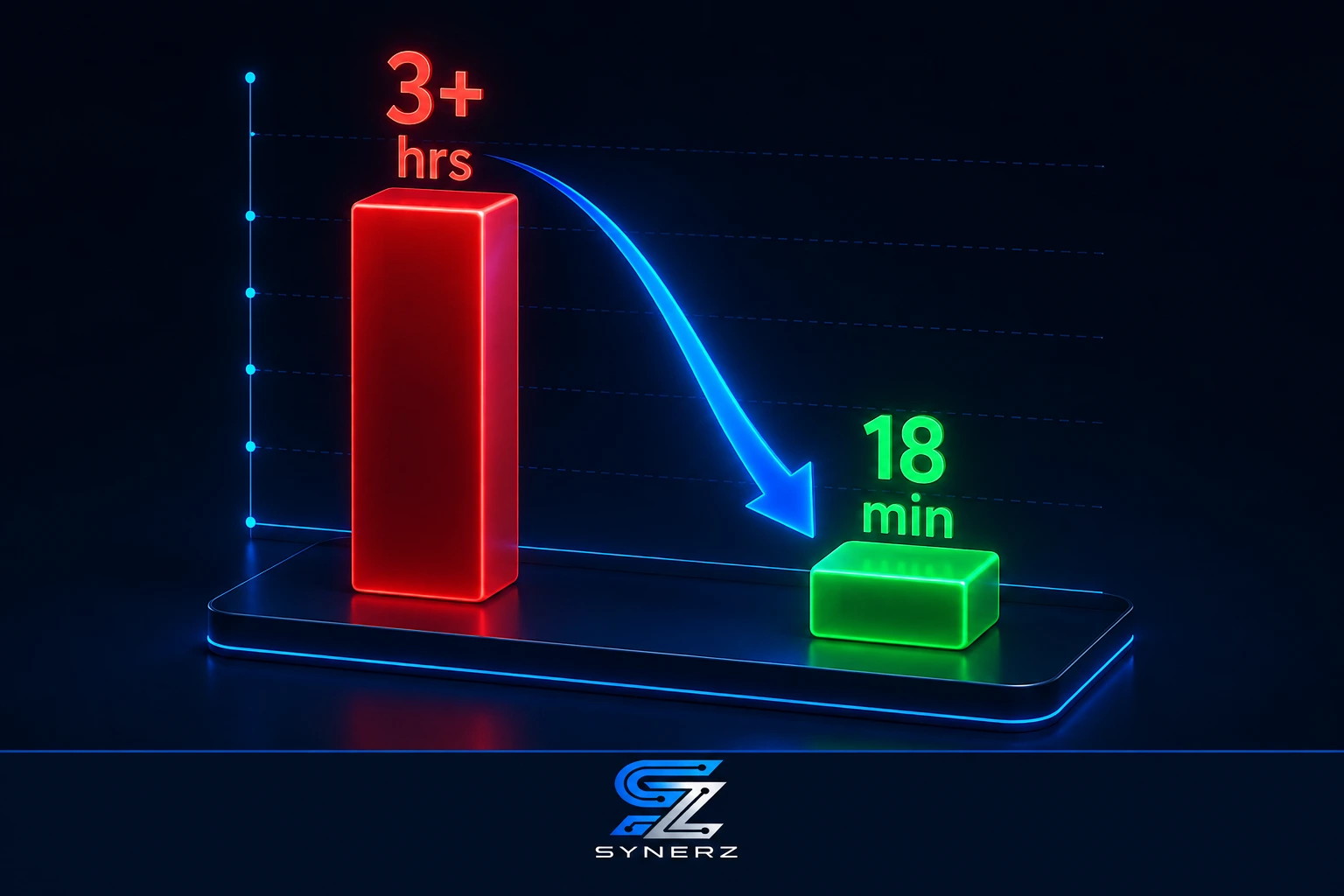
Biweekly Payroll Time: We spent 3+ hours manually processing payroll, plus reconciliation time. Now, with the connected ERP, it takes 18 minutes.
26 Payroll Runs Per Year: The time savings are substantial. At 3+ hours per run, we saved over 78 hours per year. That is two weeks of full-time work.
Zero CRA Penalties: Three years of operation, zero CRA penalties. Our payroll is accurate, and our filings are on time.
600+ PSWs: We can scale payroll to handle over 600 applicants and employees with the same 18-minute process. Manual payroll would have been impossible at this scale.
Colour-Coded Compliance Dashboard: Our payroll system is tied to our compliance dashboard. We only pay PSWs who are compliant.
No competitor can replicate this proof because it comes from our own live agency operations. We are not selling a theory. We are selling a system we already use every day.
Step-by-Step: How to Get Started with Better Payroll
You do not need to buy a whole system today to start improving your payroll. Here are actionable steps you can take right now, even without SYNERZ.
Audit Your Current Payroll Process. Map every step from timesheet collection to payday. Track the time spent on each step. Identify the pain points—where do errors happen? This audit will show you where to focus your efforts.
Move to a Single Timesheet System. Stop using paper timesheets or multiple spreadsheets. Use a single, shared system for all timesheet collection. This can be a shared spreadsheet or a simple app.
Verify Every PSW's Credentials Before Payday. Run a quick check of each PSW's credentials before processing payroll. Ensure their PSW Certificate, Police Vulnerable Sector Check, CPR & First Aid, TB Test, and References are valid. Do not pay a PSW who is not compliant.
Check Your 2026 CRA Rates. Ensure your payroll calculations use the correct 2026 CPP YMPE, CPP2 rate, EI rate, and tax brackets. This is critical for accuracy.
Automate Deduction Calculations. Even if you cannot afford a full ERP system, you can use payroll software that auto-calculates deductions. This will eliminate manual calculation errors.
Common Mistakes to Avoid
Mistake 1: Using Outdated Tax Rates
The 2026 CPP YMPE, CPP2 rates, EI rates, and tax brackets are all different from previous years. Using outdated rates is a surefire way to get a CRA penalty. A connected system updates these automatically.
Mistake 2: Treating PSWs as Independent Contractors Incorrectly
The CRA is actively enforcing worker classification in healthcare staffing. If you are paying PSWs as independent contractors, re-evaluate. The penalties for misclassification can be severe.
Mistake 3: Re-Entering Timesheet Data into Payroll
Manually re-entering timesheet data is where errors happen. It is slow and error-prone. Connect your scheduling and payroll systems to eliminate re-entry.
Mistake 4: Paying PSWs with Expired Credentials
If a PSW's credential expires, and you pay them for a shift they were not eligible to work, you are at risk. A connected system blocks payment for non-compliant PSWs.
Mistake 5: Missing Source Deduction Deadlines
If you miss a source deduction remittance deadline, there are penalties. A connected system helps you track these deadlines and ensure compliance.
Mistake 6: Ignoring the PSW Tax Credit Certification
The PSW Tax Credit 2026 requires employer certification on the T4. If you do not certify your PSWs' earnings, they cannot claim the credit. Your T4 slips must be accurate.
Ready for a Clear Picture of Your Payroll Process?
Book a free 20-minute payroll review. We review your current payroll process and give you a clear picture of where your agency stands. No pitch. No obligation. Just clarity.
📧 info@synerz.ca | 📞 +1 647 493 8110 | 🌐 www.synerz.ca
Frequently Asked Questions
What is the best payroll software for a PSW agency in Canada?
The best payroll software is not a standalone product. It is a connected ERP system that integrates payroll with scheduling, credential tracking, and billing. A connected system eliminates manual data entry and ensures compliance.
What are the 2026 CPP and EI rates in Canada?
For 2026, the CPP YMPE is $74,600 with a maximum contribution of $4,230.45. CPP2 is 4% on earnings from $74,600 to $85,000 (max $416). The EI rate is 1.63% with MIE of $68,900. Employer EI premium is 1.4 times the employee rate. These rates are updated by the CRA.
How do I calculate payroll for a PSW in Ontario?
To calculate payroll, determine the regular and overtime hours. Apply the regular rate (including the $3/hour PSW wage enhancement where applicable) and the overtime rate. Then calculate CPP, CPP2, EI, and income tax deductions. A connected payroll system automates this process.
What is CPP2 in Canada for 2026?
CPP2 is an enhancement to the Canada Pension Plan. For 2026, employees and employers must contribute an additional 4% on earnings from the YMPE ($74,600) up to a new maximum of $85,000. The maximum CPP2 contribution is $416.
Why does a PSW agency need a connected payroll system?
A connected payroll system integrates timesheets, scheduling, and payroll. This eliminates manual data entry, reduces errors, and ensures compliance with CRA rules. It also saves significant time.
What is the PSW Tax Credit for 2026?
The PSW Tax Credit is 5% of eligible earnings, up to $1,100 per year, for 2026 to 2030. Employers must certify the earnings via T4 slips. This is a new tax credit for eligible PSWs.
How can I reduce payroll errors in my PSW agency?
Automate your payroll process. Use a system that integrates timesheets, scheduling, and payroll. This eliminates manual data entry and calculation errors. A connected system also includes compliance checks to ensure you only pay compliant PSWs.
Author: Munawar Abbas — Founder & CEO, SYNERZ